CI Email OTP Checklist: 10 Steps That Kill Flaky Verification Tests
A practical checklist for testing email verification and magic-link flows in CI. Stop flaky OTP tests with proper inbox isolation, bounded retries, and extracted-not-parsed verification codes.
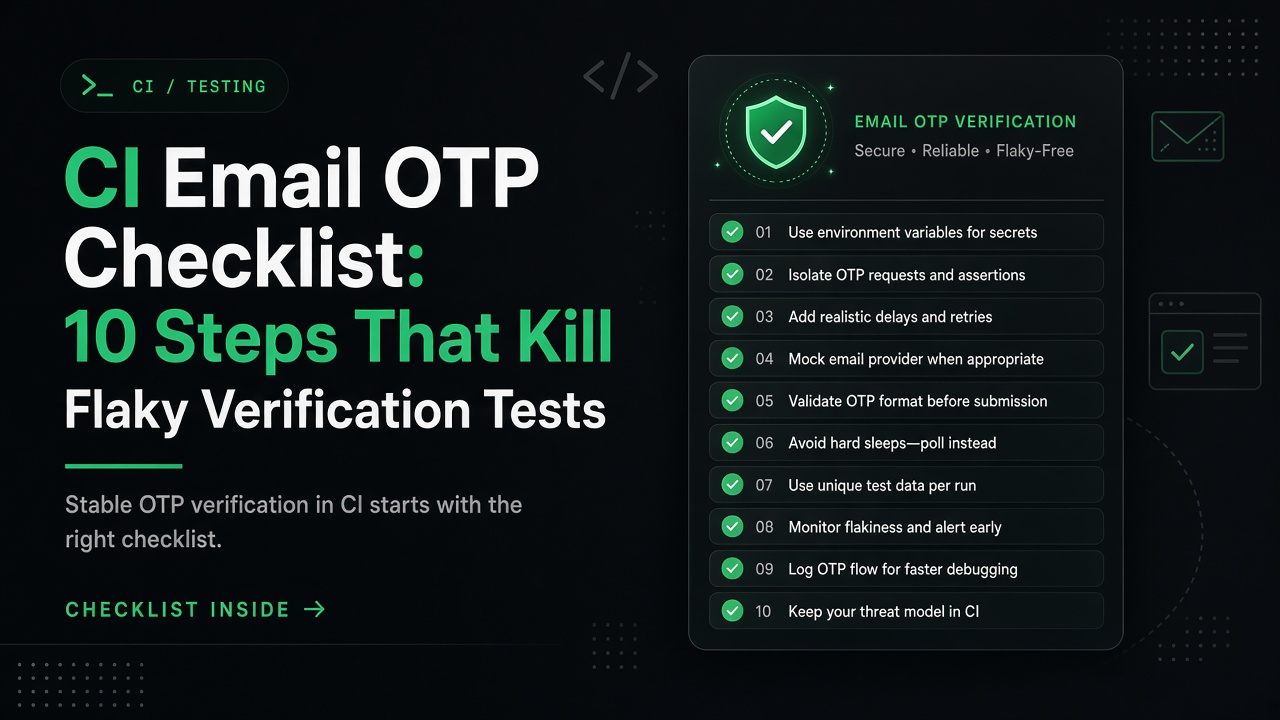
Testing email verification flows in CI/CD pipelines can be error-prone: shared inboxes race, fixed sleeps timeout unpredictably, and brittle HTML parsing breaks when templates change. This checklist distills proven practices for reliable OTP and magic-link tests.
Before You Start: The Foundational Question
Are you testing real email delivery or just verifying your business logic?
- Unit tests → Mock the email service; test logic without network calls
- Integration tests without E2E browser flows → Local SMTP catchers like Mailpit (actively maintained) or MailHog (largely unmaintained) capture mail without external dependencies
- CI E2E tests → Disposable email services with OTP extraction APIs eliminate parsing, shared-inbox collisions, and credential management
This checklist assumes the third case: you're testing end-to-end flows in CI where real email delivery matters.
The 10-Step CI Email OTP Checklist
1. ✓ Create a unique disposable inbox per test run
Why: Parallel CI jobs and sequential test runs must never share an inbox. Shared inboxes cause race conditions: one test's OTP leaks into another's assertion, or an old message confuses a retry.
How: Call the inbox creation API at the start of each test. Services like OTPBox return a unique email address and access token:
# Create inbox (POST /api/inbox returns email + token separately)
RESPONSE=$(curl -s -X POST https://otpbox.app/api/inbox)
TOKEN=$(echo "$RESPONSE" | jq -r '.token')
EMAIL=$(echo "$RESPONSE" | jq -r '.email')

echo "Test inbox: $EMAIL"
Anti-pattern: Hardcoding test@example.com or reusing the same disposable address across tests.
2. ✓ Poll for OTP with a bounded timeout budget
Why: Email delivery latency varies. Fixed sleeps either waste time (sleep too long) or fail prematurely (sleep too short). A polling loop with a maximum time budget handles normal latency while failing fast when something is truly broken.
How: Poll every 2-3 seconds for up to 30 seconds. If no OTP arrives, fail the test—this indicates a real problem, not transient slowness.
# Poll /latest endpoint with timeout
MAX_ATTEMPTS=10
SLEEP_SECONDS=3

for i in $(seq 1 $MAX_ATTEMPTS); do
  RESPONSE=$(curl -s "https://otpbox.app/api/inbox/${TOKEN}/latest")
  OTP=$(echo "$RESPONSE" | jq -r '.otp // empty')

  if [ -n "$OTP" ] && [ "$OTP" != "null" ]; then
    echo "✓ OTP received: $OTP"
    break
  fi

  echo "  Waiting... (attempt $i/$MAX_ATTEMPTS)"
  sleep $SLEEP_SECONDS
done

if [ -z "$OTP" ] || [ "$OTP" = "null" ]; then
  echo "✗ Timeout: No OTP after ${MAX_ATTEMPTS} attempts"
  exit 1
fi
Anti-pattern: sleep 5 with no retry, or infinite polling without a timeout.
3. ✓ Extract the OTP or link—don't parse raw email bodies
Why: Parsing multipart MIME, stripping HTML, or maintaining regex for "Your code is: NNNNNN" is brittle. Email templates change; your extraction logic breaks silently.
How: Use services that expose extracted verification codes via API. OTPBox's GET /api/inbox/:token/latest returns:
{
  "otp": "123456",
  "link": "https://app.com/verify?token=abc...",
  "from": "noreply@yourapp.com",
  "subject": "Verify your email",
  "receivedAt": 1726377600000
}
Both otp and link are extracted automatically. No regex required.
Anti-pattern: Fetching raw HTML, running grep -oP 'code:\s*\K\d{6}', and maintaining parsing logic in every test.
4. ✓ Handle both OTP codes and magic links
Why: Some apps send numeric codes; others send verification URLs. Many send both. Your test infrastructure should handle either pattern without rewriting the test.
How: Check both the otp and link fields from the /latest response:
// Playwright/Puppeteer example
async function getVerification(token) {
  const response = await fetch(`https://otpbox.app/api/inbox/${token}/latest`);
  const data = await response.json();
  return {
    otp: data.otp || null,
    link: data.link || null
  };
}

// Use whichever your app sends
const { otp, link } = await getVerification(token);

if (link) {
  // Magic link flow: visit the URL
  await page.goto(link);
} else if (otp) {
  // OTP flow: fill the code input
  await page.fill('input[name="code"]', otp);
  await page.click('button:has-text("Verify")');
}
Anti-pattern: Assuming every email contains an OTP, then failing when the app switches to magic links.
5. ✓ Test failure paths, not just happy paths
Why: CI tests often verify the "signup → OTP → success" flow but ignore expired codes, rate limits, and invalid formats. Production bugs hide in these edge cases.
How: Write tests for:
- Expired OTP: Wait past the expiration window, then try to verify (should fail)
- Wrong code: Submit
"000000"instead of the real OTP - Rate limits: Attempt too many verifications in quick succession
- Invalid email format: Trigger verification for
not-an-email(should reject before sending)
Example:
test('expired OTP is rejected', async ({ page }) => {
  const { email, token } = await createInbox();

  // Trigger verification
  await page.goto('https://yourapp.com/signup');
  await page.fill('input[name="email"]', email);
  await page.click('button:has-text("Sign Up")');

  // Wait for OTP
  const { otp } = await getVerification(token);

  // Wait for expiration (e.g., 5 minutes)
  await new Promise(resolve => setTimeout(resolve, 300000));

  // Attempt verification (should fail)
  await page.fill('input[name="code"]', otp);
  await page.click('button:has-text("Verify")');

  await expect(page.locator('text=Code expired')).toBeVisible();
});
Anti-pattern: Only testing successful verification flows.
6. ✓ Log the inbox email address for debugging
Why: When a CI test fails with "No OTP received," the first question is: did the app send email at all? Logging the test email address lets you check send logs, bounce reports, or manually trigger a retry.
How:
echo "Test inbox: $EMAIL (token: $TOKEN)"
# Later, if the test fails, you can inspect this email in logs
Or in GitHub Actions:
- name: Create inbox
  id: inbox
  run: |
    RESPONSE=$(curl -s -X POST https://otpbox.app/api/inbox)
    TOKEN=$(echo "$RESPONSE" | jq -r '.token')
    EMAIL=$(echo "$RESPONSE" | jq -r '.email')
    echo "token=$TOKEN" >> $GITHUB_OUTPUT
    echo "email=$EMAIL" >> $GITHUB_OUTPUT
    echo "::notice::Test inbox: $EMAIL"
Anti-pattern: Creating the inbox silently, then spending 20 minutes debugging because you don't know which email the test used.
7. ✓ Run tests in parallel without coordination
Why: CI parallelization speeds up test suites. If your email testing strategy requires locking, queues, or cleanup between parallel runs, you've introduced a bottleneck.
How: Each test creates its own disposable inbox. No shared state; no cleanup required. Inboxes expire automatically (OTPBox free tier: ~1 hour TTL).
# GitHub Actions matrix: 3 parallel jobs, each gets unique inbox
strategy:
  matrix:
    test-group: [auth, signup, password-reset]

steps:
  - run: |
      # Each job creates a fresh inbox; no collision
      RESPONSE=$(curl -s -X POST https://otpbox.app/api/inbox)
      # ...
Anti-pattern: Using a single CI_TEST_EMAIL environment variable that all parallel jobs fight over.
8. ✓ Respect rate limits: create inboxes sparingly, poll freely
Why: Free tiers often limit inbox creation but allow unlimited retrieval. OTPBox permits 10 inbox creates per hour per IP; polling is unrestricted.
How:
- Create once per test, not per retry attempt
- Poll as aggressively as needed (even every second) since retrieval endpoints don't count toward the limit
- Reuse the same inbox if a test retries internally
# ONE create (counts toward 10/hour limit)
RESPONSE=$(curl -s -X POST https://otpbox.app/api/inbox)

# MANY polls (unrestricted)
for i in {1..10}; do
  curl -s "https://otpbox.app/api/inbox/${TOKEN}/latest"
  sleep 2
done
Anti-pattern: Recreating the inbox inside the polling loop, hitting rate limits unnecessarily.
9. ✓ Use real SMTP delivery in CI, not mocks
Why: Mocking the email service in E2E tests defeats the purpose. Production issues—SPF misconfiguration, DKIM failures, template rendering bugs—slip through. Real email delivery catches these.
How: Let your app send email normally. Use a disposable inbox service to receive it. This validates:
- SMTP credentials work
- DNS records (SPF/DKIM) are correct
- Email templates render without errors
- Deliverability is functional
When to mock instead: Unit tests and integration tests that focus on business logic, not the full email flow.
Anti-pattern: Mocking sendEmail() in E2E tests, then discovering in production that emails bounce.
10. ✓ Fail fast when OTP doesn't arrive—it indicates a real problem
Why: If email consistently takes more than 30 seconds, something is wrong: the app didn't send it, SMTP credentials are invalid, or the service is down. A long timeout masks the real issue.
How: Set a reasonable timeout (30 seconds is typical for email arrival; adjust based on your SLA). If the timeout expires, fail the test and investigate:
- Did the app log "email sent successfully"?
- Are there bounce/reject notifications?
- Is the email service up?
# After timeout expires
if [ -z "$OTP" ]; then
  echo "✗ No OTP received after 30s"
  echo "Check: 1) app send logs, 2) SMTP status, 3) inbox service health"
  exit 1
fi
Anti-pattern: Increasing the timeout to 5 minutes "just in case," hiding systematic delivery failures.
Putting It Together: GitHub Actions Workflow
Here's a complete example using the checklist principles:
name: E2E Email Verification Test

on: [push, pull_request]

jobs:
  test-otp-flow:
    runs-on: ubuntu-latest
    steps:
      - uses: actions/checkout@v4

      - name: Create disposable inbox (Step 1)
        id: inbox
        run: |
          RESPONSE=$(curl -s -X POST https://otpbox.app/api/inbox)
          echo "token=$(echo "$RESPONSE" | jq -r '.token')" >> $GITHUB_OUTPUT
          echo "email=$(echo "$RESPONSE" | jq -r '.email')" >> $GITHUB_OUTPUT
          echo "::notice::Test inbox: $(echo "$RESPONSE" | jq -r '.email')"

      - name: Trigger signup with test email
        run: |
          curl -X POST https://yourapp.com/api/signup \
            -H "Content-Type: application/json" \
            -d "{\"email\": \"${{ steps.inbox.outputs.email }}\"}"

      - name: Poll for OTP with timeout (Steps 2, 3, 10)
        id: otp
        run: |
          MAX_ATTEMPTS=10
          for i in $(seq 1 $MAX_ATTEMPTS); do
            RESPONSE=$(curl -s "https://otpbox.app/api/inbox/${{ steps.inbox.outputs.token }}/latest")
            OTP=$(echo "$RESPONSE" | jq -r '.otp // empty')

            if [ -n "$OTP" ] && [ "$OTP" != "null" ]; then
              echo "otp=$OTP" >> $GITHUB_OUTPUT
              echo "✓ Received OTP: $OTP"
              exit 0
            fi

            echo "Waiting... (attempt $i/$MAX_ATTEMPTS)"
            sleep 3
          done

          echo "✗ Timeout: No OTP after 30 seconds"
          echo "Check app send logs and SMTP status"
          exit 1

      - name: Verify OTP
        run: |
          curl -X POST https://yourapp.com/api/verify \
            -H "Content-Type: application/json" \
            -d "{\"code\": \"${{ steps.otp.outputs.otp }}\"}"
This workflow follows the checklist: unique inbox per run, bounded polling, extracted OTP, logged email address, and fast failure on timeout.
When to Use Local Alternatives Instead
This checklist assumes CI E2E tests with real email. For other scenarios:
- Local development: Mailpit runs a local SMTP server and web UI (actively maintained, replaces the largely unmaintained MailHog)
- Offline testing: Mock the email service in unit tests
- Advanced debugging: Paid services like Mailtrap or Mailosaur offer search, webhooks, and team features
Choose based on your constraints: speed vs realism, local vs cloud, free vs paid.
Related Articles
- How to Test Email OTP Verification in CI — Deep dive into email OTP testing patterns and framework integration
- Disposable Email for CI OTP Testing — Practical patterns for parallel testing and state isolation
- Magic Link Testing Without Polluting Real Inboxes — Test magic-link authentication flows with ephemeral inboxes
- Disposable Email vs Temp Mail for Verification Codes — Compare different temporary email solutions and their trade-offs
Resources
- OTPBox Home — Create a test inbox and try it manually
- OTPBox API Documentation — Full REST API reference for CI automation
- Mailpit — Actively maintained local SMTP catcher for development
Email verification tests don't have to be flaky. Follow this checklist: isolate inboxes, poll with timeouts, extract codes via API, test failures, log for debugging, run in parallel safely, respect rate limits, use real SMTP, and fail fast. Your CI suite will thank you.