Mailpit vs OTPBox for CI Verification Codes
Honest versus: when Mailpit's local SMTP catcher wins for OTP tests, when OTPBox's disposable inbox fits SaaS CI — isolation, extraction, and wiring compared.
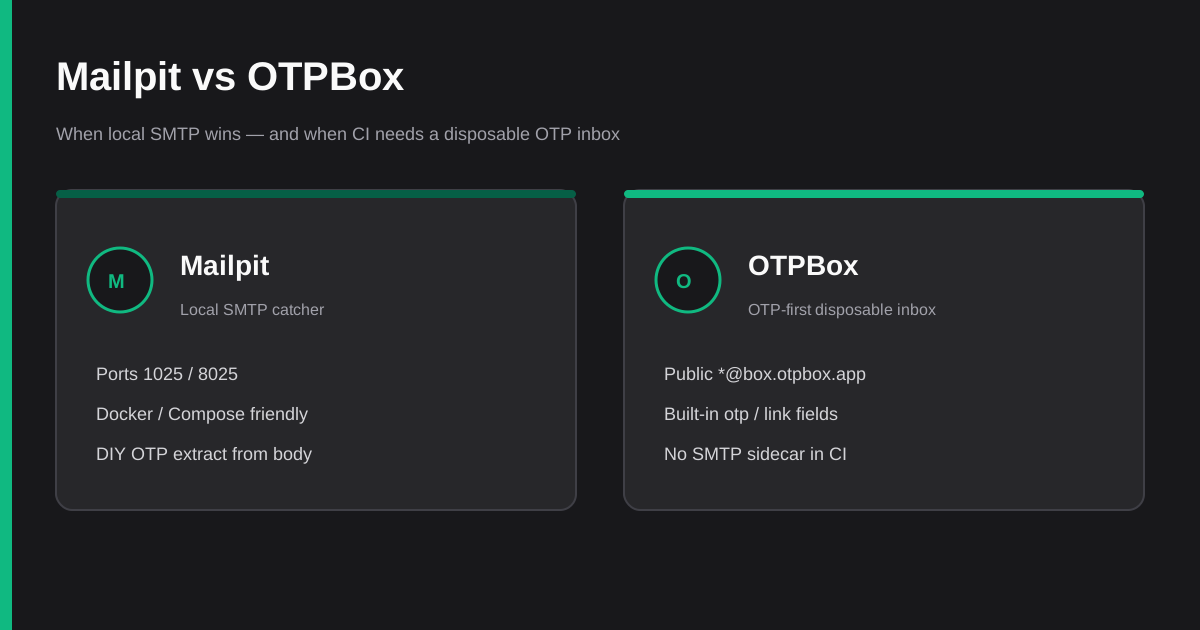
Signup, password reset, and magic-link login all need a verification code or URL. In CI that code has to land somewhere your test can read without sharing Gmail, racing parallel workers, or inventing sleep 10. Two common answers sit on opposite ends of the spectrum: Mailpit (a local SMTP catcher) and OTPBox (an OTP-first disposable inbox on the public internet).
This is a versus post, not a scoreboard. Both tools are good. They solve different jobs. Facts below come from Mailpit's docs / API and the live OTPBox API docs. No invented market share, star counts as proof, or pricing claims.
The shared problem
A reliable email OTP test needs four things:
- Isolation — a unique address or inbox per run so workers do not steal each other's codes
- Async wait — poll with a deadline, not a single fixed sleep
- Extraction — get a 4–8 digit code or magic link without brittle scraping when you can avoid it
- Debuggability — log the address so a failed job correlates with send logs
When those are missing, suites flake. See 7 Mistakes That Make Email OTP Tests Flake in CI and the CI Email OTP Checklist. The broader tool landscape is in Email OTP Testing Tools for CI.
What Mailpit is
Mailpit is a small, fast email and SMTP testing tool for developers. It acts as an SMTP server, shows captured mail in a modern web UI, and exposes a REST API for automation. It runs as a single static binary or as multi-architecture Docker images (axllent/mailpit).
Defaults (from the configuration docs):
- SMTP on port 1025
- Web UI and API on port 8025
A typical Docker one-liner maps both ports. Compose services commonly set SMTP_HOST=mailpit (or the service name) and SMTP_PORT=1025 so the app under test delivers into the catcher instead of the public internet.
The REST surface (OpenAPI under /api/v1/) includes listing and searching messages, for example:
GET /api/v1/messages— list messagesGET /api/v1/message/{ID}— one message (HTML/text parts, headers, raw)
There is no built-in otp field. You read the body (or a part) and extract the code yourself with a regex or small parser. That is fine when you own the email templates; it is extra work when templates drift.
Mailpit also offers optional HTML checks, link checks, SpamAssassin integration, Chaos (artificial SMTP errors), and more. Those features help deep local QA. Thin "give me the six digits" E2E rarely needs them.
Mailpit's maintainers position it as the maintained successor to MailHog. Older Compose files still mention MailHog; SMTP ports often match, but the HTTP APIs are not drop-in compatible — plan a small adapter if you migrate.
What OTPBox is
OTPBox is an OTP-first disposable email catcher for verification codes and magic links. Product OTP mail lands on *@box.otpbox.app. You create an inbox over HTTPS, trigger your app to send to that address over real public SMTP, then poll until the code or link appears.
From the docs:
| Call | Role | Rate notes |
|---|---|---|
POST /api/inbox |
Create inbox → email, token, expiresAt |
10 creates/hour per IP |
GET /api/inbox/:token |
Inbox + messages (newest first) | Poll freely |
GET /api/inbox/:token/latest |
Latest otp / link (404 if empty) |
Poll freely |
Only inbox creation counts toward the free create quota. Polling is unrestricted. Inboxes expire after about one hour. OTP extraction uses regex patterns for 4–8 digit codes; magic-link detection looks for common verification URL patterns. Free-tier creates need no API key.
OTPBox does not replace a local SMTP catcher for offline Compose. It replaces the awkward "shared Gmail + scrape latest" path in SaaS CI runners that should exercise a public delivery path without standing up a sidecar.
Head-to-head
| Dimension | Mailpit | OTPBox |
|---|---|---|
| Where mail lands | Local process / Docker network | Public *@box.otpbox.app |
| SMTP config change | Yes — point app at host:1025 | No — send to the minted address normally |
| Proves public deliverability | No (captured before the internet) | Yes (real SMTP into the disposable domain) |
| OTP / link extraction | DIY from message body | Built-in otp / link on /latest |
| Secrets in CI | Usually none | None for free creates |
| Parallel CI runners | Needs a service per job (or careful shared filter) | Each test mints its own inbox |
| Best environment | Laptop, Compose, controlled SMTP | GitHub Actions / cloud CI E2E |
| Deep MIME / spam / Chaos | Strong optional tooling | Out of scope — thin OTP path |
| Rate limits to plan for | Local capacity / pruning defaults | 10 creates/hour per IP; poll freely |
Qualitative only — no fake latency benchmarks.
Choose Mailpit when…
You control the SMTP host in test config. Integration tests and local Compose already redirect mail. Spinning axllent/mailpit next to the app is one service stanza and zero public network dependency.
You need to inspect raw messages. Headers, MIME parts, HTML client checks, link checks, or Chaos SMTP errors live in Mailpit's feature set. OTPBox intentionally stays thin.
Offline or air-gapped runners matter. Mailpit never leaves the machine. OTPBox needs egress to https://otpbox.app.
You are migrating off MailHog. Prefer Mailpit for new work; keep a short adapter for the list/get message endpoints.
Mailpit pattern (sketch)
# docker-compose snippet
services:
  mailpit:
    image: axllent/mailpit
    ports:
      - "8025:8025"
      - "1025:1025"
  app:
    environment:
      SMTP_HOST: mailpit
      SMTP_PORT: "1025"
// After the app sends mail to whatever address your test used:
async function waitForMailpitOtp({ base = "http://127.0.0.1:8025", timeoutMs = 30_000 } = {}) {
  const deadline = Date.now() + timeoutMs;
  while (Date.now() < deadline) {
    const list = await fetch(`${base}/api/v1/messages`).then((r) => r.json());
    const id = list?.messages?.[0]?.ID;
    if (id) {
      const msg = await fetch(`${base}/api/v1/message/${id}`).then((r) => r.json());
      const body = `${msg.Text || ""}\n${msg.HTML || ""}`;
      const match = body.match(/\b(\d{4,8})\b/);
      if (match) return match[1];
    }
    await new Promise((r) => setTimeout(r, 1000));
  }
  throw new Error("timeout waiting for Mailpit OTP");
}
Filter by To / subject when parallel tests share one Mailpit — otherwise isolation is on you. Prefer unique +tag addresses or wipe messages between tests when the suite allows it.
Choose OTPBox when…
CI runners should not own an SMTP sidecar. Many GitHub Actions jobs are ephemeral VMs. Adding Mailpit is possible (services: in the workflow) but only works if the app under test can be pointed at that sidecar. If the app always sends through SendGrid, SES, Postmark, or similar to a real address, you need a real inbox.
You want built-in code and link fields. /latest returns { otp, link, from, subject, receivedAt } or 404 while empty. That removes a class of brittle HTML scrapes. Playwright-oriented wiring is in the Ultimate Guide to Email OTP Testing with Playwright.
Parallel jobs need cheap isolation. POST /api/inbox once per test; poll /latest as often as you like. Do not create inside the poll loop — that burns the create quota.
OTPBox pattern (from the docs)
RESPONSE=$(curl -s -X POST https://otpbox.app/api/inbox)
TOKEN=$(echo "$RESPONSE" | jq -r '.token')
EMAIL=$(echo "$RESPONSE" | jq -r '.email')

# Trigger your app to send to $EMAIL, then:
for i in $(seq 1 10); do
  RESPONSE=$(curl -s "https://otpbox.app/api/inbox/${TOKEN}/latest")
  OTP=$(echo "$RESPONSE" | jq -r '.otp // empty')
  if [ -n "$OTP" ] && [ "$OTP" != "null" ]; then
    echo "OTP: $OTP"
    break
  fi
  sleep 3
done
async function waitForOtp(token, { attempts = 10, delayMs = 3000 } = {}) {
  for (let i = 0; i < attempts; i++) {
    const res = await fetch(`https://otpbox.app/api/inbox/${token}/latest`);
    if (res.ok) {
      const data = await res.json();
      if (data.otp || data.link) return data;
    }
    await new Promise((r) => setTimeout(r, delayMs));
  }
  throw new Error("Timeout waiting for OTP or magic link");
}
Docs recommend starting around every 3 seconds for up to ~30 seconds. Delivery often lands faster; keep a generous deadline for CI variance. Full shell and Actions examples live in How to Test Email OTP Verification in CI and on /docs.
Can you use both?
Yes — and many teams should.
- Local / PR smoke on Compose: Mailpit. Fast feedback, no public quota, rich message inspection.
- Staging or nightly E2E on GitHub Actions: OTPBox (or another hosted inbox) so the path matches production SMTP.
That split keeps laptop loops snappy and still catches "we broke SES templates" failures before production. What you should not do is mix them in one test without clear env flags — a suite that sometimes hits Mailpit and sometimes a disposable domain without documenting SMTP_HOST will confuse the next person on call.
Common mistakes on both sides
Fixed sleeps. Whether the catcher is local or hosted, wait with a deadline and retry. Playwright's expect.poll is a good wrapper; see the Playwright ultimate guide.
Shared inboxes. One Mailpit without per-test filters, or one shared temp-mail address, races under parallel workers.
Creating OTPBox inboxes in a loop. Create once, poll many times. Creates are limited; polls are not.
Expecting Mailpit to prove deliverability. Green Mailpit tests mean your app formed a message and handed it to SMTP locally. They do not mean the provider accepted it in production.
Expecting OTPBox to be a full email QA suite. If you need spam scores, HTML client matrices, or Chaos SMTP failures, use Mailpit (or a dedicated email-test platform) for that layer.
Decision in one sentence
- Developing on a laptop or in Compose with a redirectable SMTP host → Mailpit.
- CI E2E that must receive a real code or magic link without managing SMTP → OTPBox.
- Need both depth and production-like delivery → Mailpit locally, OTPBox (or similar) in cloud CI.
Related reading
- Email OTP Testing Tools for CI — roundup of approaches
- Ultimate Guide to Email OTP Testing with Playwright
- How to Test Email OTP Verification in CI
- CI Email OTP Checklist
- 7 Mistakes That Make Email OTP Tests Flake in CI
Resources
- OTPBox — create a disposable inbox in the browser
- OTPBox API —
POST /api/inbox,GET .../latest - Mailpit — local SMTP catcher
- Mailpit configuration — ports 1025 / 8025
- Mailpit API v1 —
/api/v1/messages,/api/v1/message/{ID}
Mailpit and OTPBox are not rivals for the same slot. Mailpit wins when you own SMTP and want a rich local catcher. OTPBox wins when CI only needs the code or link from a real public delivery path. Pick the tool that matches the layer you are proving — then keep isolation, polling, and extraction deliberate.